A downloadable tool for Windows

Download NowName your own price

Deskepty

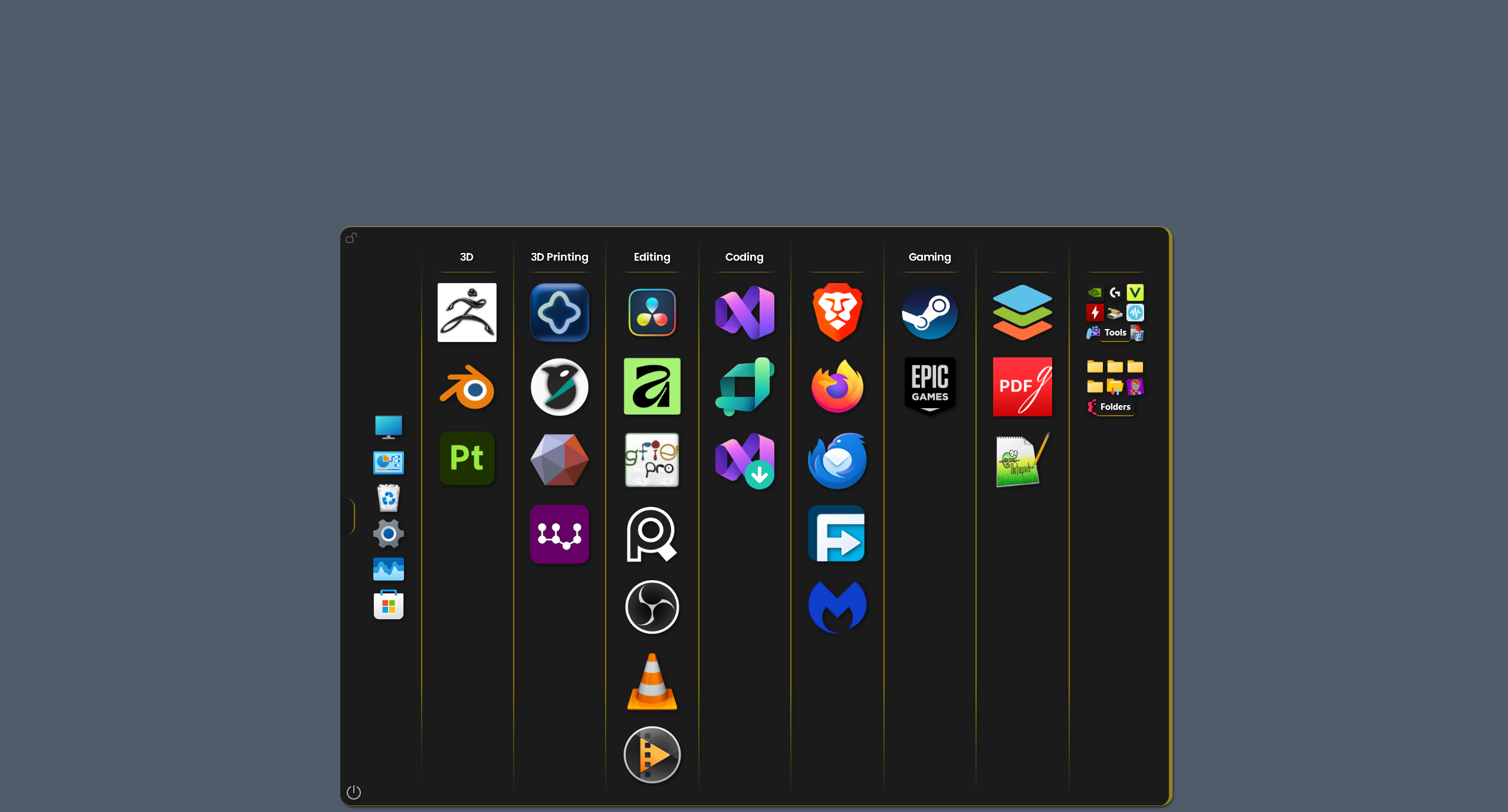
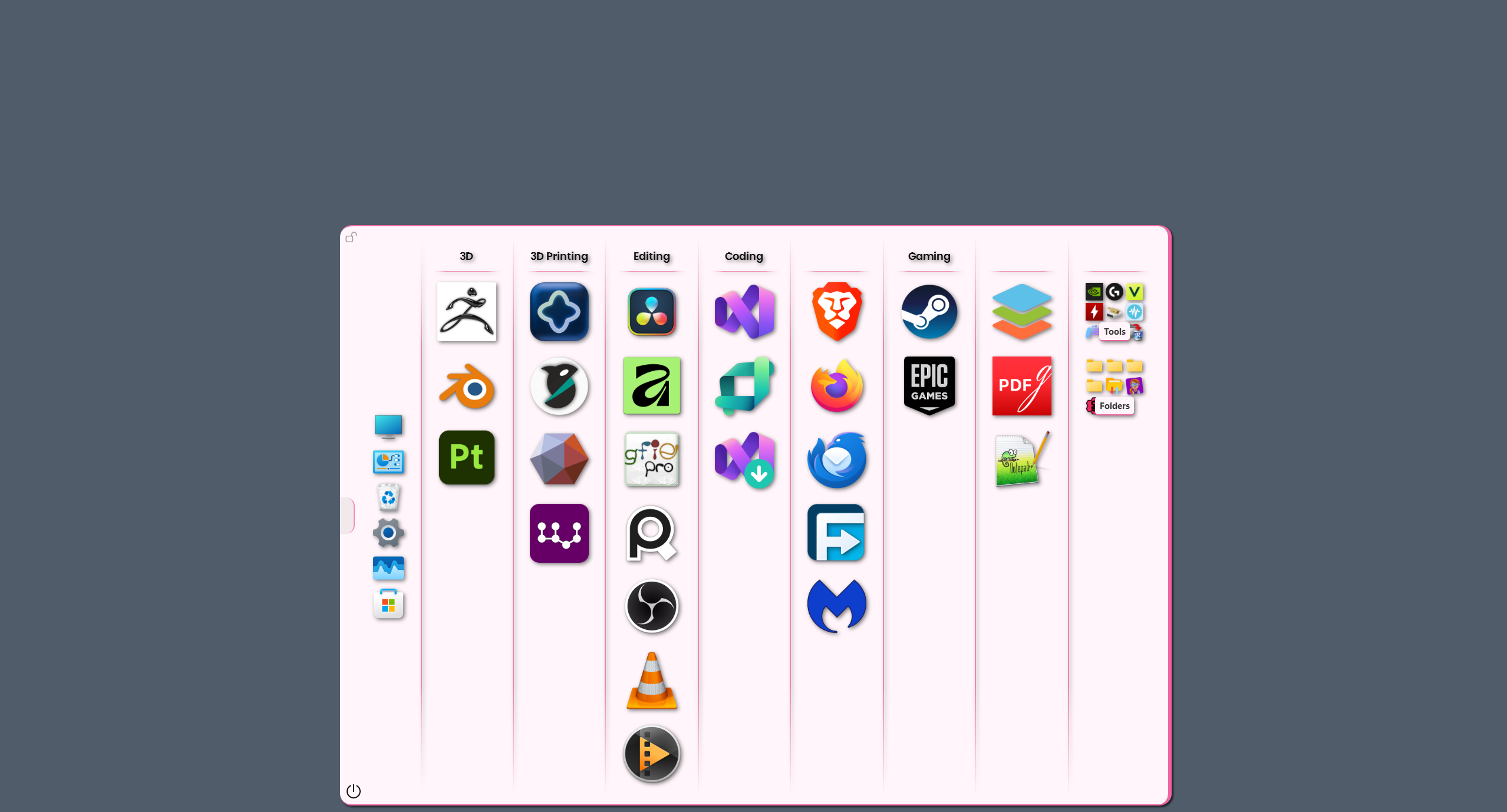
A desktop tool that organizes your apps, games and folders into a clean, fast workspace.       


Deskepty Youtube Channel

Deskepty Reddit

VirusTotal scan:


SHA-256: 7b23fa88fea84eef90b20fb5e9e7f3d54abee10526b4a31648b545981e2c0ee8

โ˜• Support

Deskepty is free forever. If you find it useful and want to support development:

Support on Patreon

Your support helps:

  • Add new features
  • Fix bugs faster
  • Keep the app independent and offline-first


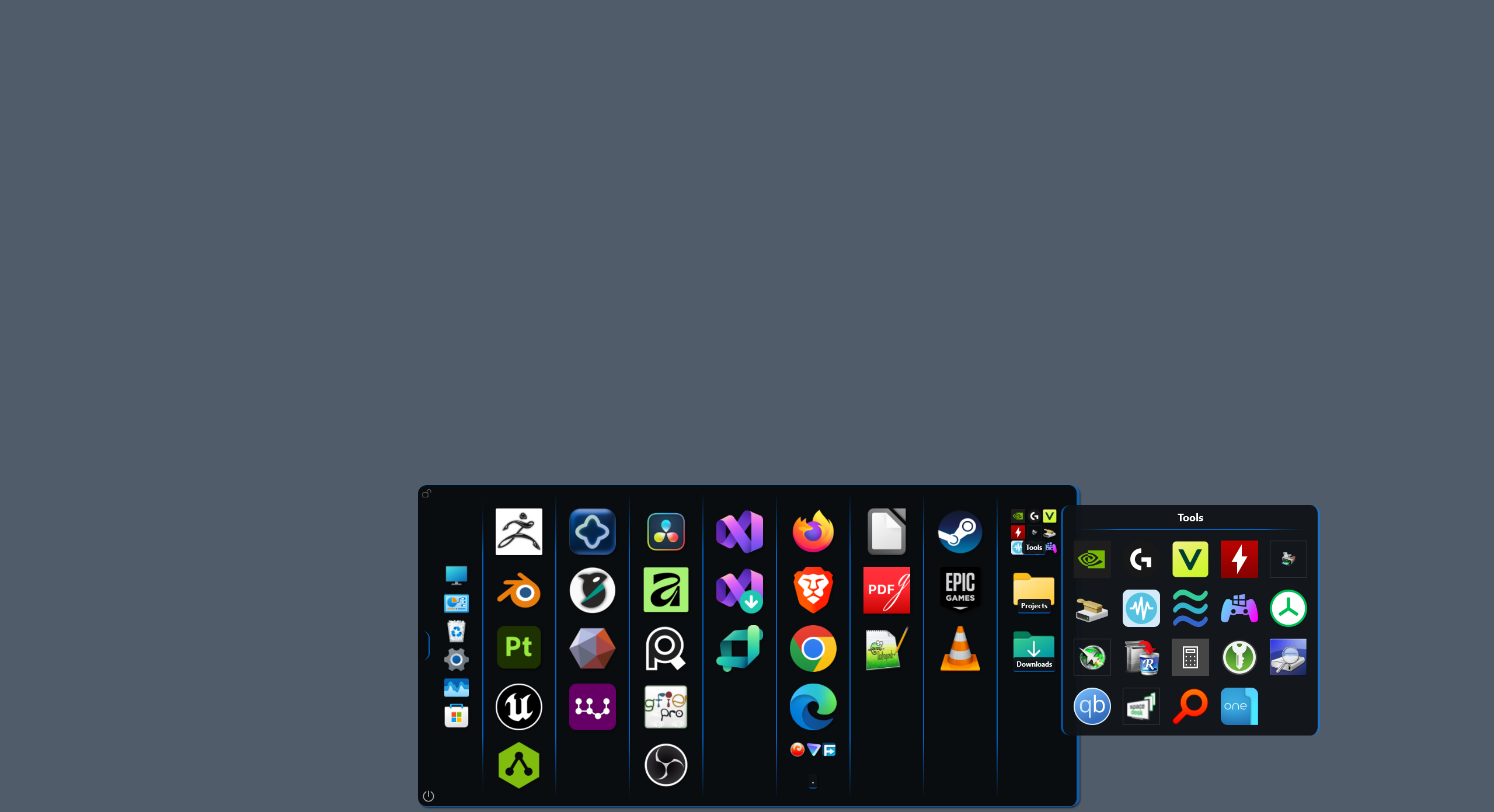
๐Ÿ“ Smart Group Management


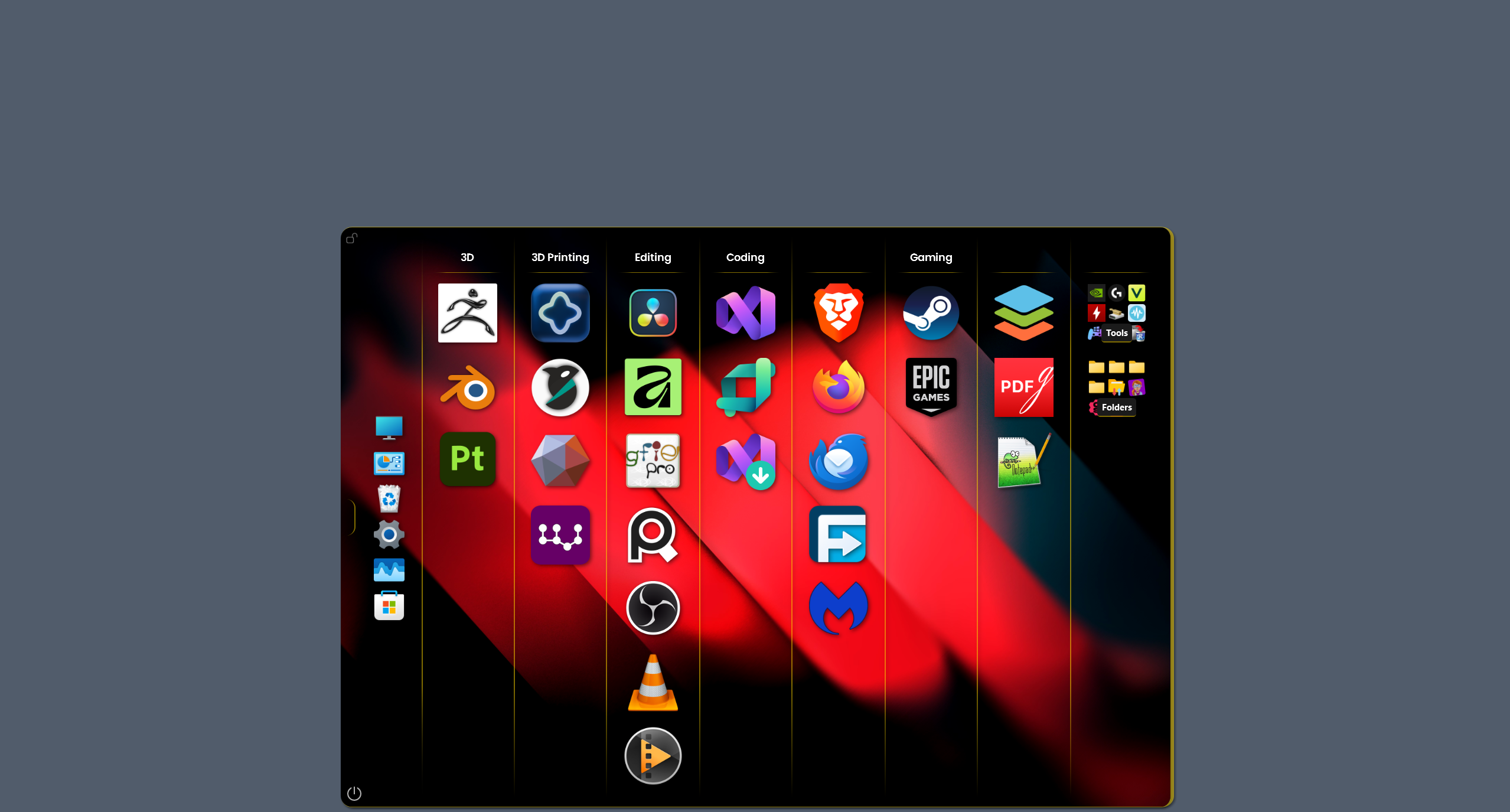
  • 10 customizable groups with 10 slots each — organize up to 100 applications
  • Drag & drop .exe files, shortcuts, or folders directly from File Explorer to any group — or to the ToggleButton to auto-show the Main Window
  • Multi-select groups with Ctrl+click or Ctrl+A for batch actions
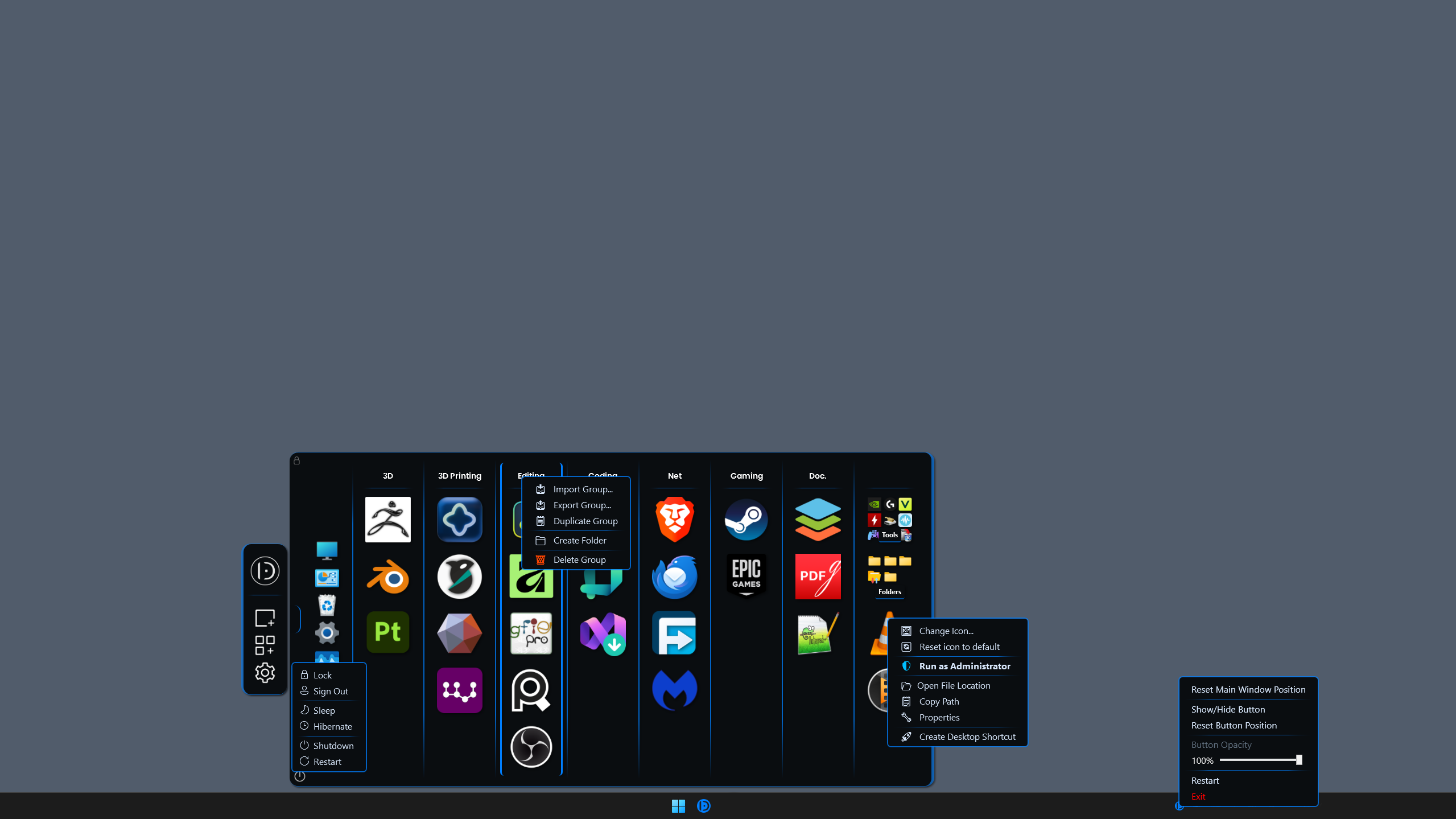
  • Duplicate a group, including icons, group name, and custom styling
  • Undo/redo with 5-level history for accidental icons deletions
  • Individual group styling — unique fonts and colors per group, or apply globally

๐ŸŽจ Visual Customization


  • Light/Dark mode — match your system theme
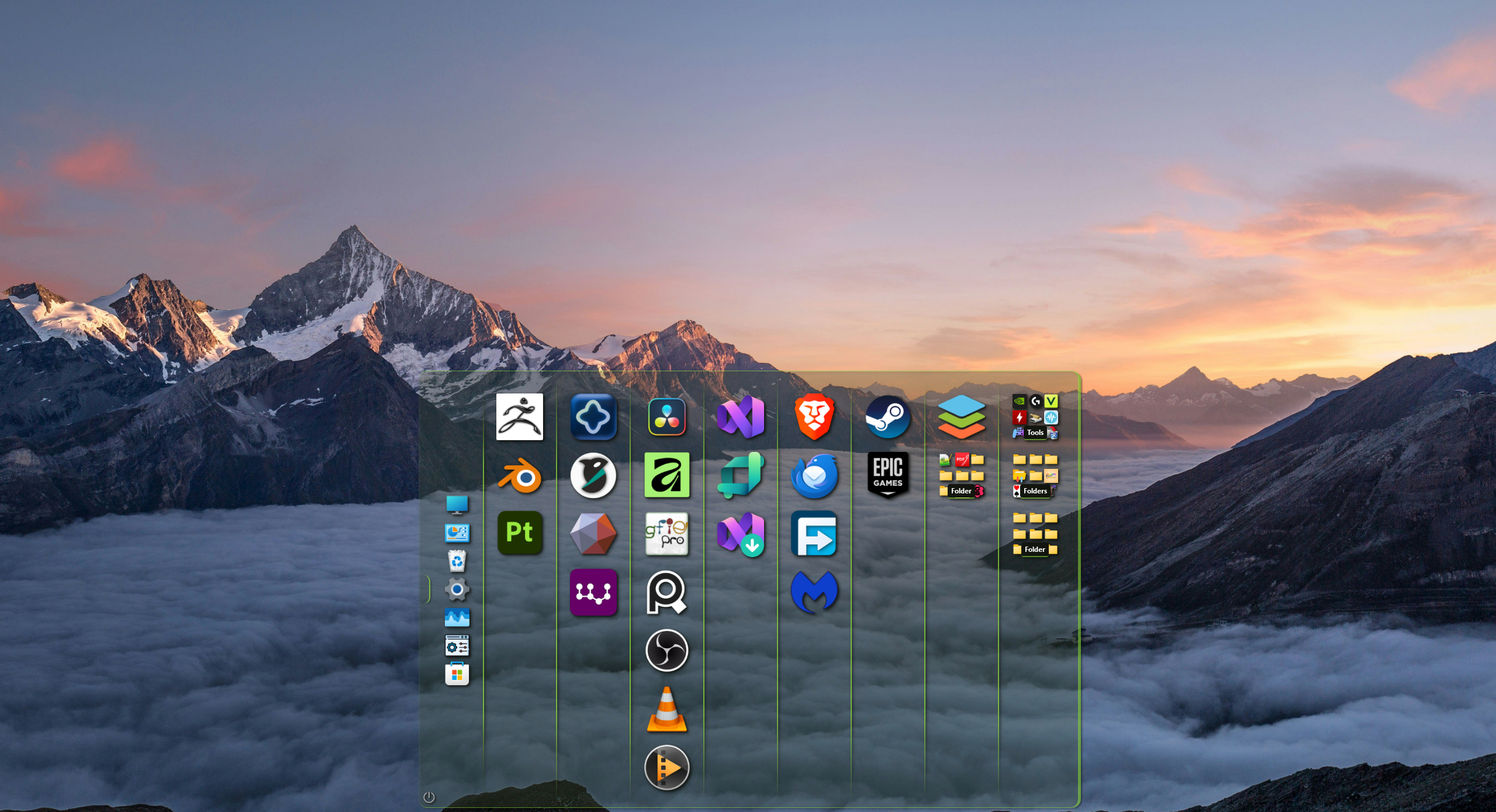
  • Adaptive layout — works with any screen resolution
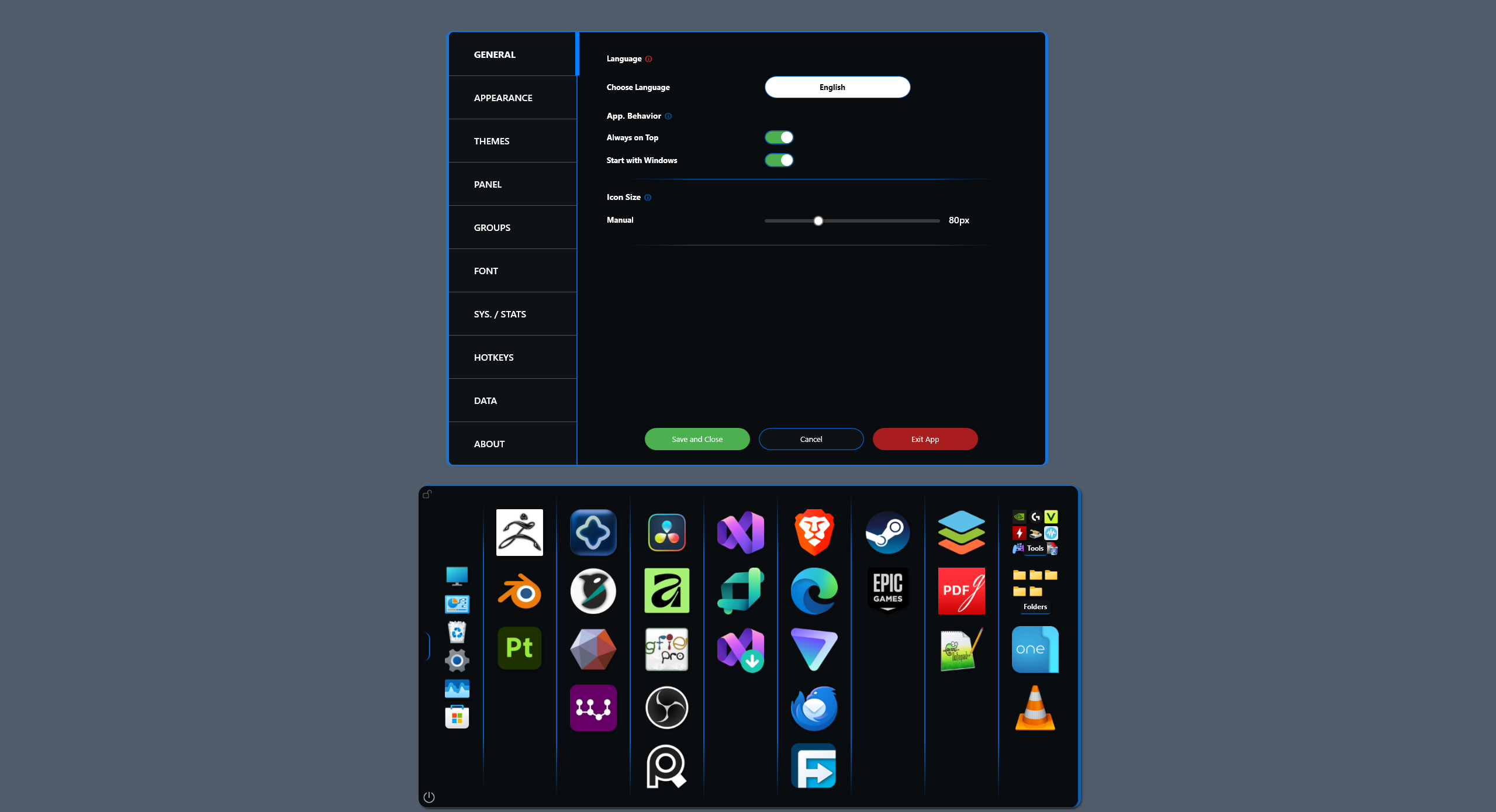
  • Manual icon size Slider (48x48 to 128x128)
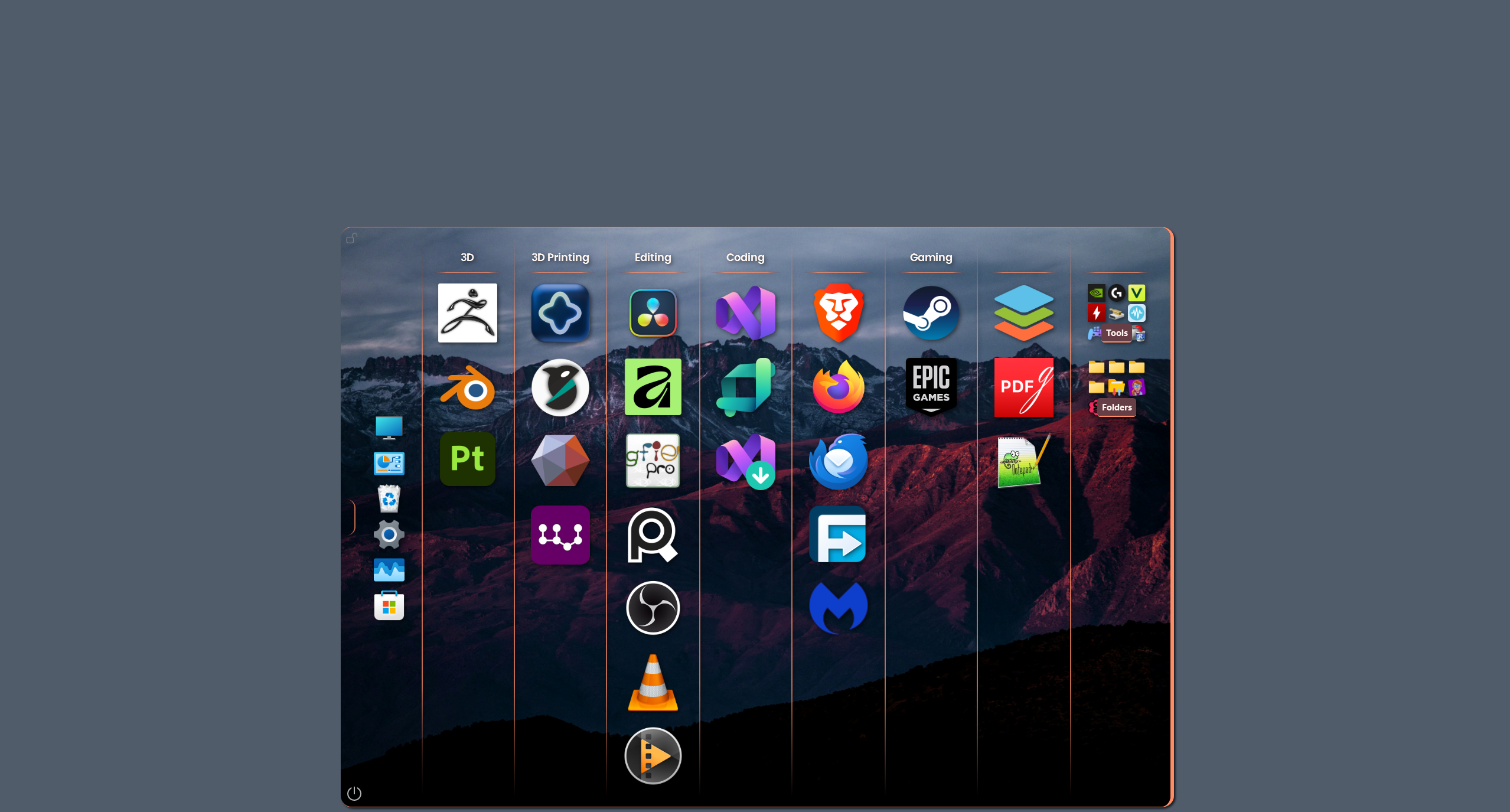
  • Custom border colors — separate colors for normal and hover states
  • Custom Group background and Group Title colors
  • Custom Group Title Font
  • Panel backgrounds — personalize with images or solid colors
  • Global opacity control — fine-tune transparency

โŒจ๏ธ Productivity Enhancements


  • Organize Mode — freeze and rearrange without accidental launches
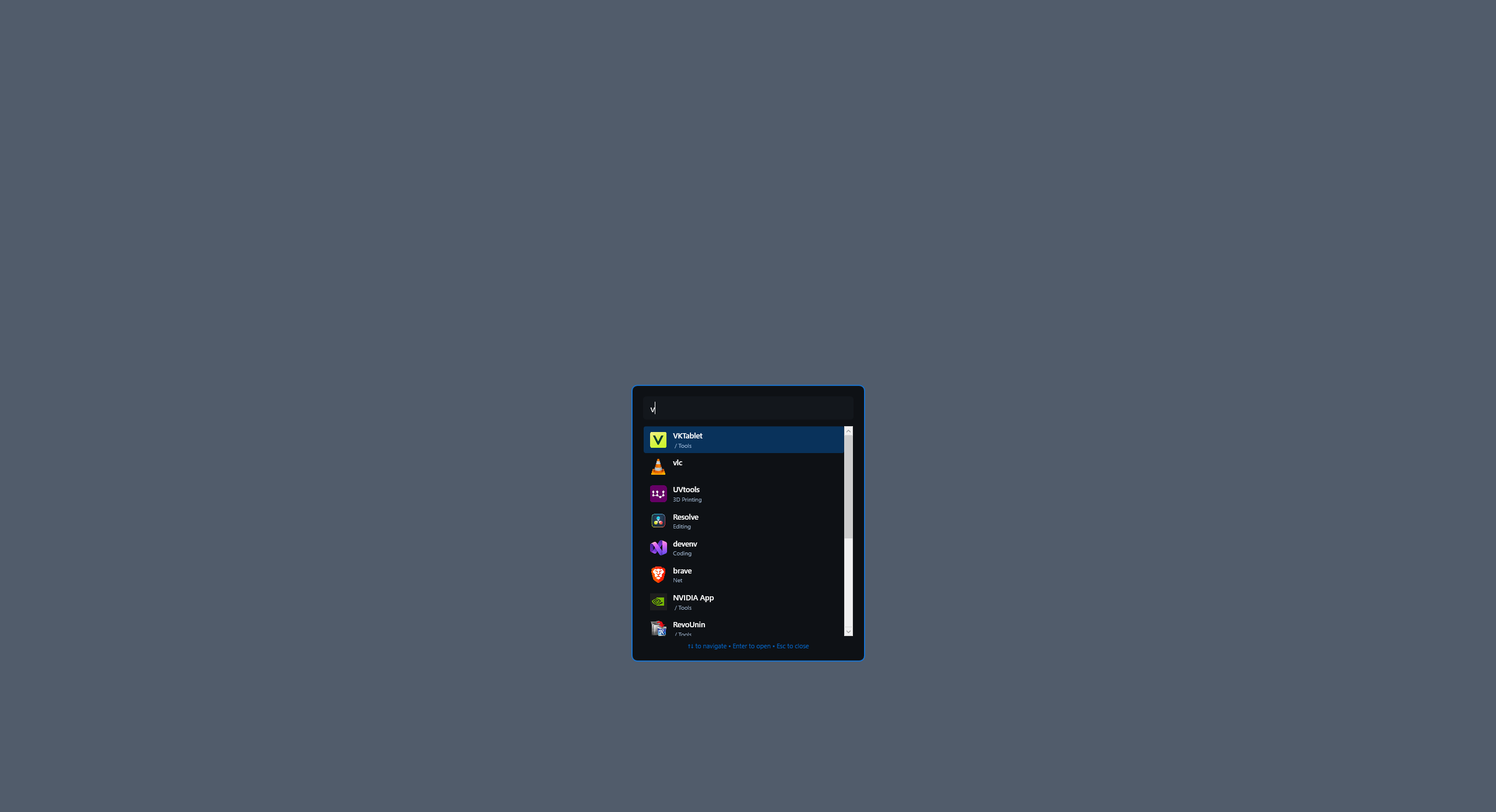
  • Smart search (Alt + Space, customizable) to quickly find and launch apps
  • Left Click on Toggle Button to show/hide Main Window . Right Click will hide Toggle Button
  • Toggle panel (Ctrl + Shift + Space, customizable) to show/hide Main Window
  • System icons integration: This PC, Network, Control Panel, Recycle Bin, Windows Settings, Task Manager

๐Ÿ”ง Professional Controls


Right-click context menus:

  • Run as Administrator
  • Open File Location
  • Properties
  • Create Desktop shortcut
  • Quick deletion
  • Group management — delete single or multiple groups with confirmation

๐Ÿ“Š Usage Analytics


  • Track most-used programs and application statistics

๐Ÿ’พ Data Management


  • Full export/import — backup your entire configuration as JSON
  • Auto Backup — customizable intervals: 1/6/12/24 hours
  • Individual group transfer — share or migrate specific setups
  • Cross-instance compatibility — seamless setup transfer between systems

๐Ÿ–ฅ๏ธ System Integration


  • Start with Windows — automatic launch option
  • Always on Top — keep organizer accessible
  • Power button — shutdown, restart, sleep, hibernate, lock, sign out
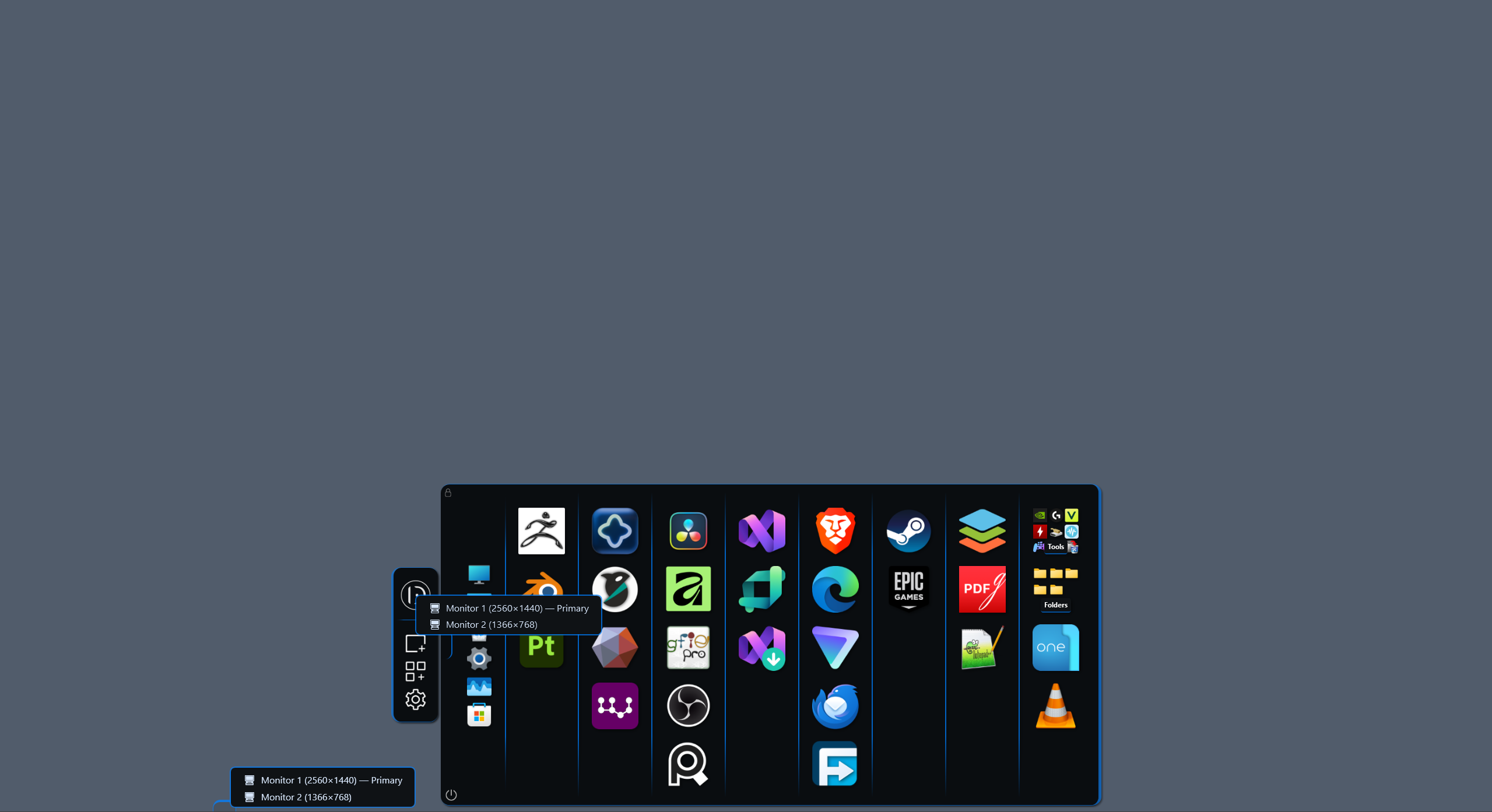
  • Main window — draggable to any screen. Resolution and DPI aware (app restart required)
  • Toggle button — draggable to any screen edge, system tray controls

๐ŸŽฏ Who Is It For?


Deskepty helps organize your apps for everyone:

  • Developer juggling IDEs and tools
  • Creative with design software and assets
  • Office workers managing documents and communication
  • Students organizing coursework
  • Or anyone who wants a cleaner, faster desktop

It's your workspace. Organize it your way.

๐Ÿ“‹ System Requirements


  • Windows 10 / 11 (64-bit)
  • .NET 8.0 Runtime
  • 2GB RAM (Low Memory usage)

๐Ÿ”ง Keyboard Shortcuts


  • โŒจ๏ธ Alt + Space (Customizable) — Open search window
  • ๐ŸชŸ Ctrl + Shift + Space (Customizable) — Show/hide Main Window
  • ๐Ÿ“ฆ Ctrl + O — Toggle Organize Mode
  • โ†ฉ๏ธ Ctrl + Z / Ctrl + Y — Undo last icon deletion
  • โ†ช๏ธ Ctrl + Shift + Z — Redo last icon deletion
  • โœ… Ctrl + A — Select all groups
  • ๐Ÿ—‘๏ธ Ctrl + Right Click — Delete icon
  • ๐Ÿ”„ Alt + Drag — Swap icons between groups

Terms

  • Deskepty is free software provided "as is".
  • You may use it on any number of computers.
  • Redistribution is not permitted without permission.

๐Ÿ› ๏ธ Built With


.NET 8.0 / WPF / C#

Windows SmartScreen Notice


Because Deskepty is a new independent application and not yet code-signed, Windows SmartScreen may display a warning on first launch.

To continue:

  • Click "More info"
  • Click "Run anyway"

Deskepty is distributed only through the official GitHub Releases page.

Acknowledgments


Deskepty was built by a user, for users — for anyone who values speed, privacy, and control over their workspace.

Built with โค๏ธ for productive workflows.

Download

Download NowName your own price

Click download now to get access to the following files:

Deskepty.exe 8.3 MB

Leave a comment

Log in with itch.io to leave a comment.